
Footage in
Episode out
BitterClip watches the whole recording, makes one cut worth sending, and lets you keep directing it.
Try it for $1 · 7 days, then $24/month · Cancel anytime
From a Zoom call
Hours of tape. One cut.
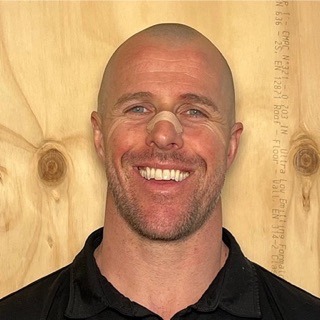
Michael Ruescher quit a twelve-year job to build bitter.sh.
This is the cut you'd send.
Try it on one real recording.
$1 for 7 days, then $24/month · Cancel anytime · one recording up to two hours · $5 of agent work.
“I built BitterClip for myself because I realized the most important thing about being a founder is getting anyone to know or care about your product.”

“Working through session footage is the worst three hours of my week — and the most important. It’s how I remember exactly what happened with a client and build on it next session.”
Control
Direct the cut until it is right
Start with BitterClip's built-in agent. Ask why a moment belongs, tighten the opening, try another direction, or revert. You can also edit the transcript by hand. The result stays ordinary, controllable work.
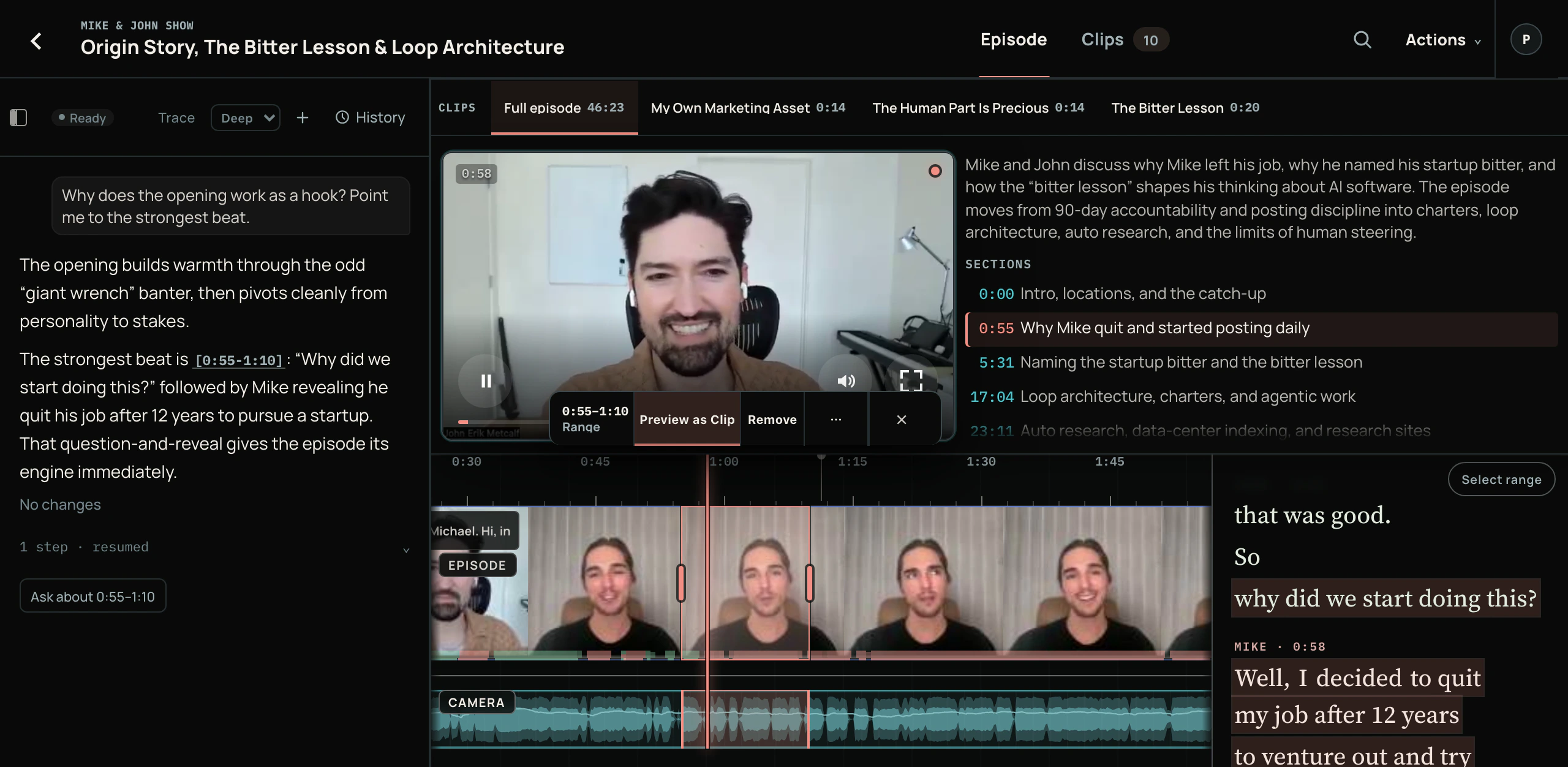
This is the same cut as above. Open it to check the tape.
The source stays attached, every word is timestamped, and every cut can be checked against the exact moment it came from.
Built in first · portable when you want it
Use BitterClip’s agent—or yours
BitterClip's agent is already inside the editor. Nothing else needs to be connected. If you prefer Claude, ChatGPT, or another MCP client, it can operate the same workbench under the same source and edit rules.
The cockpit can change. The recording, cut, history, and manual controls stay the same.
“The friction was the whole problem with founder content — timestamps, clunky editors, the back-and-forth on every clip. Now I make the clips inside Claude, while I’m already in there.”

Cut Tuesday's session with Sarah. Under a minute, captions on.
Drafted that cut. Fifty-eight seconds, captions on. It opens on the deadlift.
sarah-highlights
0:58 · captions · draft
Intro drags. Start on the squat.
Revised that cut. It opens on the squat now.
Open in editor · Download after render
Pricing
Bring one recording. Leave with the episode.
Try the real workbench on one recording. Your included agent work covers the whole-recording analysis, First Cut, and the directions you give from there.
Recommended
Creator
7 days, then $24/month
Meet your editor. $1 for the first 7 days.
During the trial
- One recording up to 2 hours
- $5 of agent work for analysis, First Cut, and direction
- Keep asking and revising while balance remains
- Watermarked exports during the trial
After the trial
- 10 source-footage hours · $10 included agent work
- Pick the agent's model · each request costs what OpenRouter billed, plus 15%
- Clean exports · files up to 4 GB
- Top up exactly $20, $50, or $100 of agent work while active
Cancel before day 7 and you won’t pay the $24.
Producer
$99/month
High-volume recurring production.
- 40 source-footage hours per billing period
- $40 included agent work, at model cost plus 15%
- Clean exports · files up to 20 GB
- Priority rendering · exact $20/$50/$100 top-ups
Month to month · cancel anytime
How we make money
From the subscription, by building a good workbench, not by reselling AI. The built-in agent costs what OpenRouter billed for each request plus a flat 15%, which covers OpenRouter's fees, card processing and requests that fail after they're billed. Your own ChatGPT or Claude can run the whole editor on the plan you already pay for. We run the company lean, so the subscription is enough.
Before you ask
The short version
What happens after I sign up?
Choose Creator and add a card: $1 for your first 7 days, then $24/month. Cancel anytime. Then bring one recording. Your trial includes $5 of agent work for the whole-recording analysis, First Cut, and the directions and alternatives you try during those seven days.
I have tried AI clippers. Why would this be different?
BitterClip works from the whole recording — who is speaking, what came before, and what came after — and commits to one coherent cut. It does not hand you a scored pile of disconnected moments. When the cut is wrong, direct the one you have instead of asking a clip generator for ten more guesses.
Can I keep changing the cut?
Yes. Ask questions, give another direction, try an alternative, revert, or edit the transcript by hand while agent work remains. There is no revision counter. If the balance reaches zero, playback, manual editing, your sources, and the work you already made remain available.
Do I need ChatGPT or Claude?
No. BitterClip has an agent built into the editor, and that is the shortest path. Claude, ChatGPT, and other MCP clients are optional peer operators of the same workbench when you would rather direct the cut from somewhere else.
Where can the finished work go?
Download the full episode or a portrait cut, share a review link, or prepare a connected YouTube, LinkedIn, or X destination. Publishing always stops for your final confirmation; connecting a channel never makes it automatic.
What can I upload?
Podcasts, interviews, calls, coaching sessions, and workshops — audio or video. The Creator trial accepts one recording up to two hours. Paid Creator supports files up to 4 GB; Producer supports files up to 20 GB. Several synchronized angles of the same session stay together as one production.
How does BitterClip make money?
From the subscription, by building a good workbench, not by reselling AI. The built-in agent costs what OpenRouter billed for each request plus a flat 15%, which covers OpenRouter's fees, card processing and requests that fail after they're billed. Your own ChatGPT or Claude can run the whole editor on the plan you already pay for. We run the company lean, so the subscription is enough.
What happens if I cancel?
Cancel anytime in Billing. Cancel before day 7 and you won’t be charged $24 (the $1 isn’t refunded). After that, cancelling stops the next renewal. Your recordings, edits, and finished work stay in your account.
